Yes, Lightroom presets are worth it for many photographers and content creators, but they aren't the one-click solution they're often advertised to be.
A quality preset can save hours of editing, help you create a consistent style, and even teach you how professional edits are built. If you're completely new to editing presets, start with our guide to what Lightroom presets are before deciding whether they're worth buying. At the same time, no preset can perfectly edit every photo without adjustments. Lighting, camera settings, exposure, and white balance all affect how a preset looks, which is why some people love presets while others feel they wasted their money.
The key isn't whether Lightroom presets are good or bad. It's whether they match your workflow and expectations.
In this guide, you'll learn when Lightroom presets are worth buying, when free presets might be enough, when creating your own presets makes more sense, and how to tell if a preset pack is actually worth paying for. By the end, you'll have a clear answer based on your own editing needs rather than marketing claims.
Are Lightroom Presets Worth It?
For most people, yes. Lightroom presets are worth it if they help you edit photos more efficiently, create a consistent style, or reduce repetitive work. They can also be a valuable learning tool by showing how professional edits are built.
The value of a preset depends on how you use it. Most photographers treat presets as a starting point that speeds up their workflow, then make small adjustments to suit each image. This approach produces more consistent results than editing every photo from scratch.
If your goal is to save time while maintaining a consistent editing style, a quality preset can be a worthwhile investment.

Why the Same Preset Can Look Different
The same Lightroom preset can produce different results depending on the original lighting conditions. Photos taken indoors and outdoors often require small adjustments after applying the preset.
When Lightroom Presets Are Worth It
Lightroom presets are most valuable when they solve a real editing problem rather than promise perfect results. They can make your workflow faster, more consistent, and easier to manage, especially if you edit photos regularly.
They're especially worth it if you want to:
- Save time editing large batches of photos.
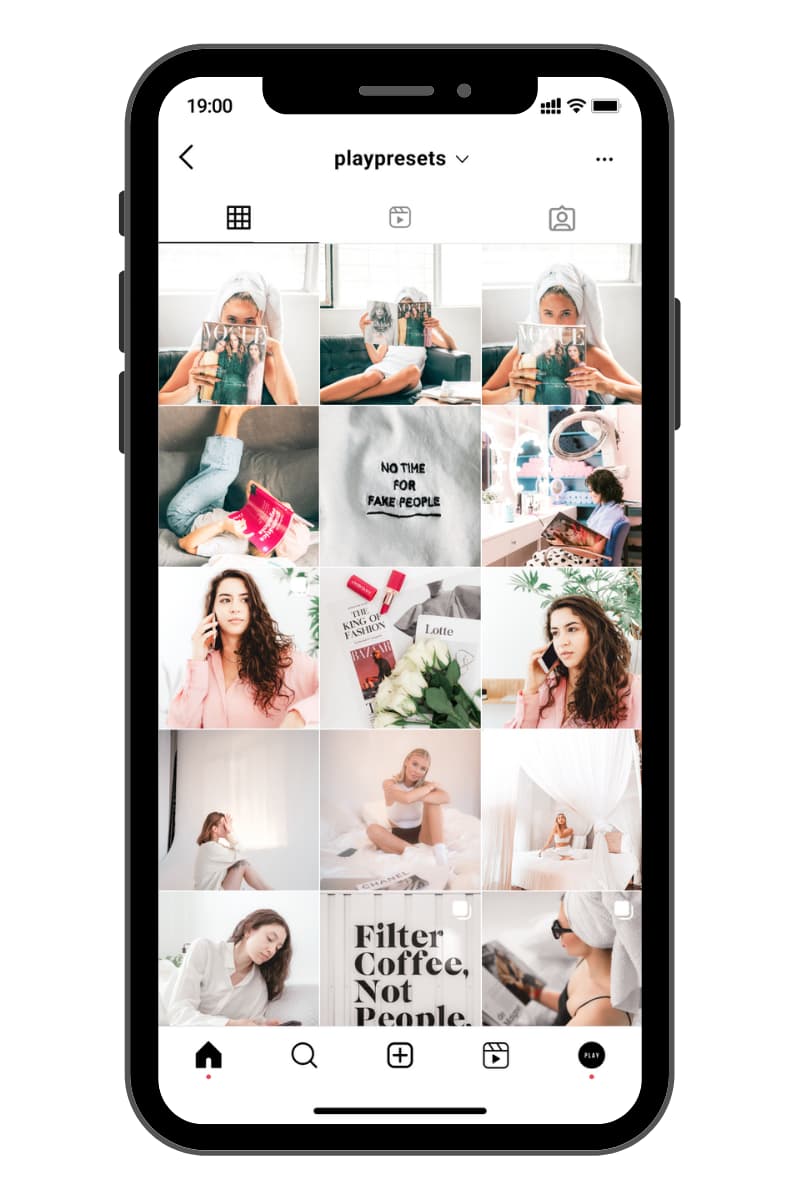
- Create a consistent editing style across your portfolio or social media.
- Learn how Lightroom adjustments work by exploring professionally built presets.
- Experiment with different editing styles without starting every edit from scratch.
If you regularly edit photos and want a more efficient workflow, a quality preset pack can be a worthwhile investment.
When Lightroom Presets Aren't Worth It
Lightroom presets aren't the right choice for every situation. If your expectations don't match how presets work, you're more likely to be disappointed than impressed.
They may not be worth it if you:
- Expect every photo to look perfect with a single click.
- Rarely edit photos and won't use them regularly.
- Buy presets based only on dramatic marketing examples.
- Don't want to make small adjustments after applying a preset.
Learning Lightroom's basic editing tools will always help you get better results. Whether you use free presets, paid presets, or your own custom presets, understanding how to adjust your photos is what makes the biggest difference.
Free vs. Paid Lightroom Presets
Free Lightroom presets can be a great way to explore different editing styles, especially if you're new to Lightroom. You can also try our free Lightroom presets before deciding whether a paid collection fits your workflow. Adobe includes built-in presets, and many creators offer free starter packs that let you experiment before spending any money.
Paid presets become more valuable when you edit photos regularly and want a consistent workflow. Instead of collecting dozens of random presets, you can build your editing process around a smaller collection that matches your photography style.
| Option | Best for | Main limitation |
|---|---|---|
| Free presets | Beginners exploring different editing styles | Quality and consistency can vary |
| Paid presets | Photographers and creators who edit regularly | Require an upfront investment |
| Custom presets | Experienced Lightroom users with an established style | Take time to create and refine |
There's no right or wrong choice. The best option depends on how often you edit, the style you're trying to achieve, and whether you're looking for a faster workflow or prefer building your own presets from scratch.
Should You Buy Presets or Make Your Own?
Buying presets and creating your own presets don't have to be mutually exclusive. Many photographers use both as part of their editing workflow.
If you're still comparing editing options, it may also help to understand the difference between Lightroom presets and filters.
If you're new to Lightroom, buying a quality preset pack can help you edit faster while teaching you how different settings work together. Exploring the adjustments behind a preset is a practical way to learn color grading, tone curves, HSL, and other editing tools.
If you already have an editing style you love, creating your own presets gives you complete control and helps keep your workflow consistent across future edits.
Many photographers start with a purchased preset, make a few adjustments to suit their photos, and then save those refinements as their own custom preset. This combines the convenience of ready-made presets with a workflow that's tailored to their photography.
Ultimately, the best choice depends on your experience, editing style, and how much time you want to spend creating your own look.
How to Tell If a Lightroom Preset Is Worth Buying
Not all Lightroom presets offer the same value. Before buying a preset pack, look beyond dramatic before-and-after images and consider what you're actually getting.
A quality preset pack should include:
- Realistic before-and-after examples that show how the presets perform on different types of photos.
- A clear editing style that matches the type of photography you enjoy, whether that's portraits, travel, weddings, lifestyle, or film-inspired edits.
- Lightroom compatibility so you know exactly which devices and Lightroom versions are supported.
- Simple installation instructions for desktop and mobile users.
- Clear product information that explains what's included instead of relying on vague marketing claims.
Choosing presets this way helps you invest in tools that genuinely improve your workflow instead of buying collections you'll rarely use.
How to Get the Best Results with Lightroom Presets
Applying a preset should be the beginning of your edit, not the final step. Even professional photographers make small adjustments after applying a preset to ensure it matches each individual photo.

Small Adjustments Often Make the Biggest Difference
After applying a Lightroom preset, small refinements to exposure or white balance are often enough to adapt the edit to different lighting conditions. This keeps your photos looking natural while preserving the preset's overall style.
Adjust the exposure
If your original photo is brighter or darker than the one used to create the preset, start by adjusting the exposure. This single change often makes the biggest difference.
Fine-tune the white balance
A small adjustment to the temperature or tint can improve skin tones and help the preset blend naturally with the lighting in your image.
Make small finishing adjustments
Finally, refine the contrast, highlights, shadows, or crop if needed. These quick edits help the preset work with your photo instead of expecting every image to look identical.
The more you use Lightroom presets, the easier it becomes to recognize which adjustments each photo needs. Over time, you'll spend less time editing while achieving more consistent results.
Conclusion
So, are Lightroom presets worth it?
For many photographers and content creators, the answer is yes. They can save time, create a consistent editing style, and make your editing workflow more efficient. They're especially valuable if you edit photos regularly and want consistent results without starting every edit from scratch.
At the same time, presets aren't a replacement for good editing skills. The best results come from using them as a foundation and making small adjustments to suit each photo.
If you're still deciding, start with a few free presets and see how they fit your workflow. Once you know the editing style you enjoy and find yourself using presets regularly, choosing a quality Lightroom presets collection becomes a much easier decision.
The goal isn't to find a preset that edits every photo perfectly. It's to find a workflow that helps you edit faster while creating results you're happy with.